
Logs, terminal and port-forward
Read a workload's logs, open a shell in one of its containers, or reach it on a local port, without leaving the window.
Logs
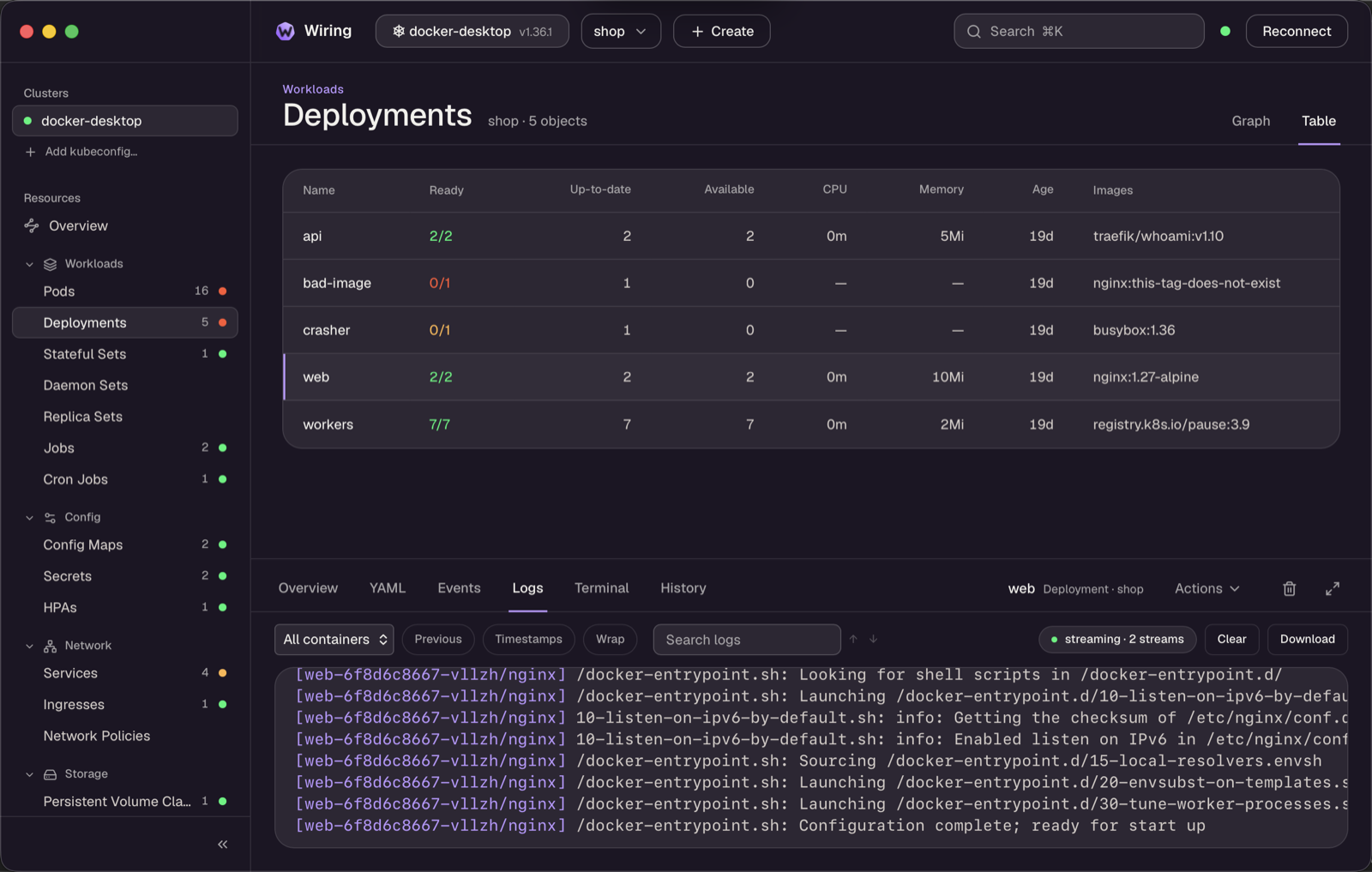
Pods and workloads (Deployment, StatefulSet, DaemonSet, Job, CronJob and pod groups) get a Logs tab:
- It shows the last 500 lines of each container and then follows live output.
- A workload's pods are merged into one view, each line prefixed with a coloured
[pod/container]tag. - You can pick a container, switch to the previous run of a crashing container, and toggle server timestamps and line wrapping.
- Search with match stepping, clear the view, or download the log to a file.
- ANSI colours are rendered.
Terminal
Pods and workloads (Deployment, StatefulSet, DaemonSet, Job and pod groups) get a Terminal tab. Pick the pod and container, then Connect to open a shell in it (bash when the image has it, otherwise sh). It is a full terminal, with colours, cursor keys, resizing with the panel, and copy with ⌘C / Ctrl+Shift+C. The terminal keeps Tab for the shell; press Ctrl+Shift+Tab to move focus back to the toolbar. The session ends with exit, Disconnect, or when you select something else. Images without a shell (distroless) say so.
Port-forward
Port-forward… in the Actions menu (Pods, Services, Deployments, StatefulSets, DaemonSets) forwards a local port on 127.0.0.1 to the object. Pick one of its ports. The local port defaults to the same number when it is free. A Service or workload forward follows ready pods, so it keeps working through restarts and rollouts. The ⇄ button in the header lists the running forwards, with Open (in the browser), Copy and Stop. Forwards stop when you switch cluster or disconnect.